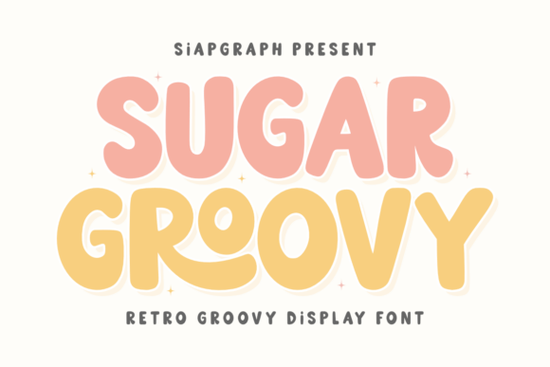
If you're looking for a retro display font that cuts cleanly, prints crisply, and brings genuine 70s warmth to your projects without the hassle of jagged edges or inconsistent spacing Sugar Groovy Font is worth your attention. It’s designed with crafters and small-batch creators in mind: think vinyl cutting, sublimation transfers, and digital print files where clarity and charm matter equally. Unlike some nostalgic fonts that lean too far into kitsch or lose legibility at smaller sizes, Sugar Groovy balances boldness and flow, making it especially useful for SVG cut files, t-shirt designs, and playful product labels.
What makes Sugar Groovy different from other retro fonts?
It’s not just about looks it’s about function. The letterforms are chunky but not heavy, rounded but not sloppy. Each character has generous counters and open apertures, which helps prevent “fill-in” when cutting thin vinyl or printing on textured surfaces like ceramic mugs. That means fewer test cuts, less material waste, and more consistent results across machines from Cricut and Silhouette to Epson sublimation printers.
You’ll also notice how well it pairs with modern layouts. While it channels disco-era optimism, it doesn’t clash with clean sans-serifs or minimalist backgrounds. That versatility makes it a strong choice for social media graphics (especially Instagram Reels thumbnails or Pinterest pins), event invitations, and nursery wall art where warmth and readability both matter.
Who uses Sugar Groovy and how?
Print-on-demand sellers appreciate how easily it scales across products: a single design can work on a toddler onesie, a tote bag, and a phone case without needing multiple font versions. Its high x-height and sturdy stems ensure text stays sharp even at 12–16pt on apparel mockups.
Crafters and DIYers rely on its smooth vector paths no extra node cleaning needed before sending to a cutting machine. If you’ve ever wrestled with a font that throws off alignment during weeding or leaves tiny gaps between letters, you’ll notice the difference right away.
Small businesses use it for seasonal campaigns think Summer Break banners, birthday party supplies, or music festival merch. It fits naturally into themed bundles, and because it’s optimized for screen and print, it holds up whether shared via email, printed on kraft paper tags, or embroidered as a simplified outline.
How does it compare to other popular Creative Fabrica display fonts?
Like American Vibe, Sugar Groovy leans into mid-century energy but swaps Americana motifs for sun-drenched, carefree grooviness. If you prefer something bolder and more architectural, Bold Super offers sharper angles and tighter spacing. For fantasy-themed projects, Rune Fate brings medieval texture, while Skyline delivers sleek urban contrast. And if you’re after intentional imperfection, Zombie Crumsy gives hand-drawn grit but Sugar Groovy stays polished, even when playful.
It’s also worth noting that Sugar Groovy avoids overused tropes no excessive swashes, no forced distressing, no distracting alternates that clutter your glyph panel. What you get is one cohesive, production-ready family with standard OpenType features (ligatures, numerals, punctuation) that behave predictably in both Adobe and free tools like Canva or Inkscape.
Where does it work best practically speaking?
- Vinyl stickers and decals: Clean inner curves mean easy weeding, even on 1/8" material.
- Sublimation mugs & tumblers: No thin strokes to fade or blur under heat press pressure.
- Nursery and kids’ room decor: Friendly weight and rhythm feel warm, not loud.
- Social graphics for summer or festivals: Pairs well with sunburst shapes, palm silhouettes, and gradient overlays.
- POD product bundles: Consistent sizing across apparel, home goods, and stationery saves time on mockup prep.
For reference, you can preview and license Sugar Groovy Font directly on Sugar Groovy Font.
Before you download: a quick checklist
- ✅ Confirm your software supports OTF/TTF files (all major design apps do).
- ✅ Test a few letters at 1.5" height in your cutting software look for smooth joins and even spacing.
- ✅ Try pairing it with a simple sans-serif (like Montserrat or Inter) for balanced hierarchy.
- ✅ Save your file as SVG with outlined text if sharing with others or uploading to POD platforms.
- ✅ Check licensing terms this font includes commercial use rights for physical and digital products you sell yourself.
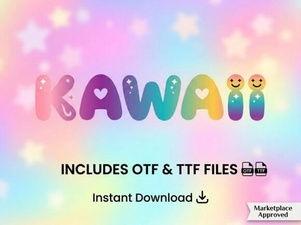 Kawaii Font: Playful & Creative Design Ideas
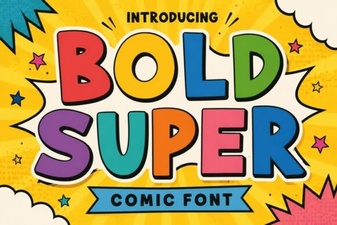 Bold Super Font: Creative Typography for Impactful Design
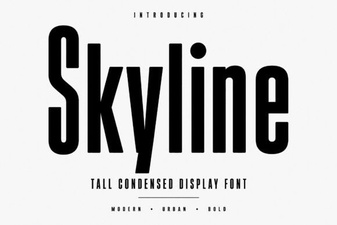 Skyline Font: Bold Design Ideas for Creative Projects
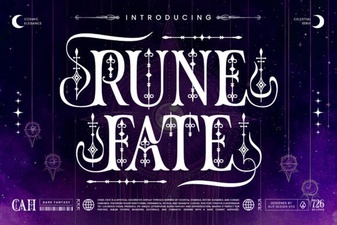 Rune Fate Font: Creative Typography for Mythic Designs
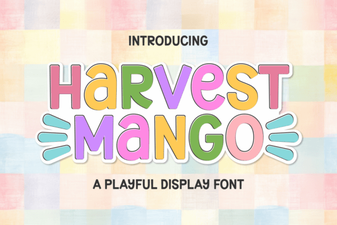 Harvest Mango Font: Creative Design & Project Ideas
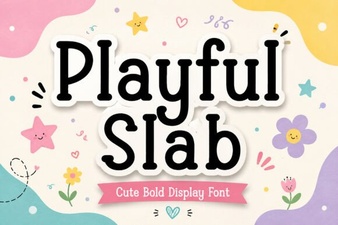 Playful Slab Font: Creative Design Ideas