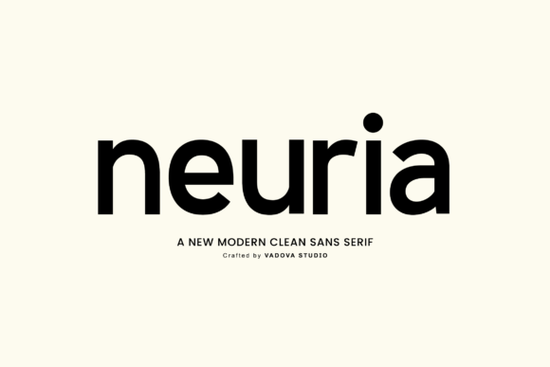
If you're looking for a clean, modern sans serif font that works just as well on a business card as it does in a social media ad or website header, Neuria Font is worth your attention. It’s not flashy or overly stylized instead, it’s thoughtfully built for readability, consistency, and quiet confidence. Designed with balanced proportions and a subtle geometric foundation, Neuria feels current without chasing trends. Whether you’re designing a logo for a small tech startup, laying out a minimalist wedding invitation, or building a cohesive brand system for your print-on-demand shop, this typeface holds its own without demanding attention.
What makes Neuria different from other sans serifs?
Many modern fonts lean heavily into either ultra-thin strokes or exaggerated rounded corners. Neuria strikes a middle ground: smooth curves meet crisp terminals, and letterforms sit evenly on the baseline without optical tweaks that can cause uneven spacing at smaller sizes. That means less manual kerning, fewer surprises when scaling down for mobile UI, and more predictable results across languages especially helpful if you work with English, Spanish, French, or German text regularly.
The set includes full uppercase and lowercase characters, standard numerals (tabular and proportional), punctuation, and basic diacritics. You won’t need to swap fonts mid-sentence to handle an accented character or a trademark symbol. That kind of completeness matters when you’re juggling client revisions or prepping files for print vendors.
Where does Neuria fit best in real projects?
You’ll find Neuria especially useful in contexts where clarity and neutrality support the message not compete with it. Think:
- Branding systems where the logo needs to scale from favicon to billboard
- Website UI elements like buttons, navigation labels, or form fields
- Social graphics that pair well with photography no competing visual noise
- Editorial layouts for blogs or digital magazines where legibility over long paragraphs matters
- Product packaging or merch designs where clean typography reinforces quality
It’s not the right choice if you need handwritten charm, retro flair, or dramatic contrast but that’s by design. For designers who value restraint and craft, Neuria joins the same thoughtful category as minimalist design fonts, and shares some of the functional clarity you’d expect from a carefully drawn sans serif like Prestion. If you’ve used fonts like Lucky Autography Font for playful moments or Neuria Font for grounded ones, you’ll appreciate how they complement each other in a toolkit.
How does it compare to similar fonts on Creative Fabrica?
Compared to preppy Easter fonts, Neuria doesn’t rely on seasonal styling or decorative swashes it’s built for longevity, not occasion-specific use. And while Neuria Font shares the “sans serif” label with many others, its even stroke weight and open counters give it stronger screen performance than some narrower or tighter alternatives. You’ll notice fewer rendering hiccups on Windows devices or older Android versions, which helps if you’re embedding fonts in email templates or web projects.
For crafters using Cricut or Silhouette machines, Neuria cuts cleanly at medium to large sizes no fragile thin strokes to snap or fill in unexpectedly. And because it’s optimized for both screen and print output, you won’t need separate versions for digital mockups versus final production files.
A note on licensing and practical use
The license covers personal and commercial use, including POD platforms like Redbubble or Etsy shops no extra fees for selling items with Neuria in the design. Just make sure your end product isn’t a font file itself (e.g., reselling the OTF as a standalone download). You’re free to use it in logos, apparel graphics, Canva templates, or printable planners all common needs for small creative businesses.
One thing to keep in mind: Neuria doesn’t include stylistic alternates or variable weight axes (like light, extra bold, or condensed variants). So if your project requires multiple weights or widths, you may want to pair it with a compatible companion font something like minimalist design font that shares its structural logic.
Before downloading Neuria Font:
- Check your software compatibility it’s an OpenType font (.OTF), supported in Adobe apps, Affinity Suite, Cricut Design Space, and most modern design tools
- Preview the full character set to confirm language support matches your needs
- Test it at 12–16px in a browser or app interface to see how it renders at typical UI sizes
- Try pairing it with a warm neutral color palette soft grays, off-whites, or muted teals often enhance its quiet sophistication
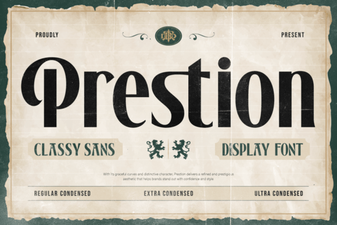 Prestion Font: Elegant & Versatile Design Tool
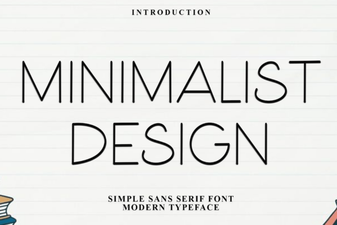 Minimalist Font Inspiration for Clean Design Projects
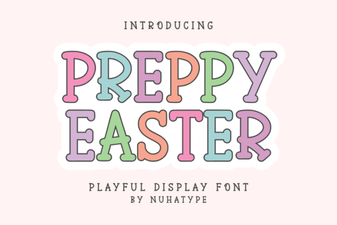 Preppy Easter Font: Stylish Design Ideas
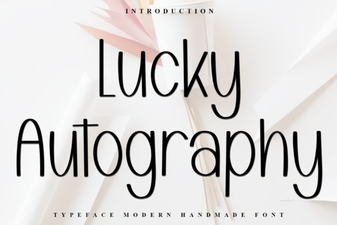 Lucky Autography Font: Creative Design Ideas
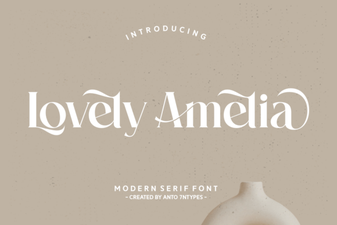 Lovely Amelia Font: Elegant Design & Creative Uses
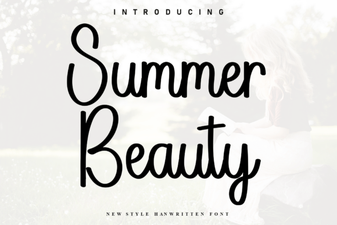 Summer Beauty Font: Creative Design Ideas